

Itinerary Builder
TripMapper's itinerary builder lets tour operators and travel agents create beautifully designed, costed travel itineraries using a drag-and-drop interface. Start however suits you best: build from scratch, duplicate a proven trip from your template library, import an existing itinerary directly from a PDF, or let the built-in AI description tool write compelling itinerary content for you.

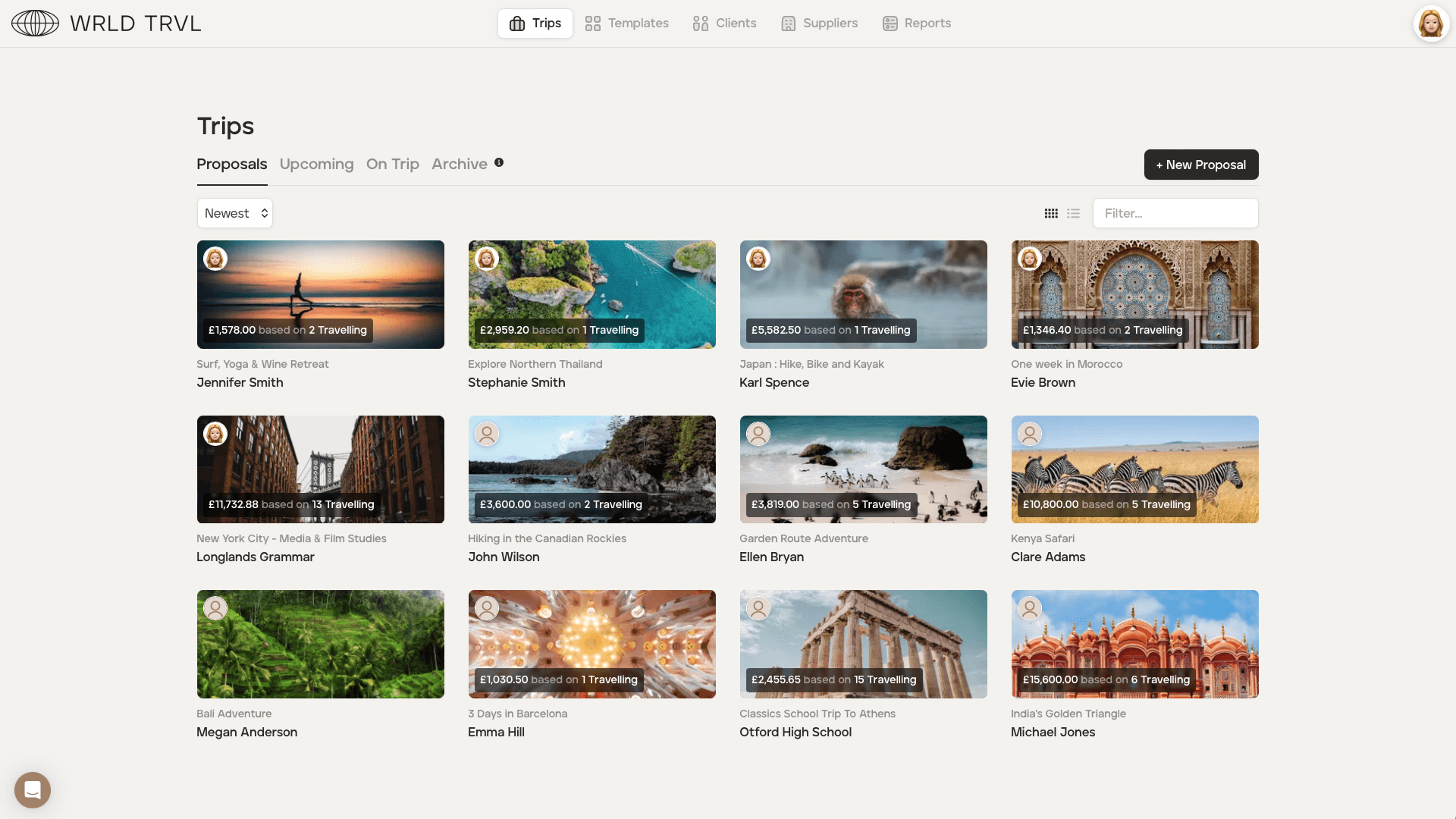
Plus-sized itinerary builder features
Each itinerary item can hold times, locations, prices, margins, attachments, booking confirmations, images and more. Advisers can save itineraries and itinerary items as reusable templates and duplicate them for new trips, so proven trips never need rebuilding from scratch. Built-in integrations pull flight data, venue details and imagery, so a complete client-ready itinerary can be assembled in minutes rather than hours.
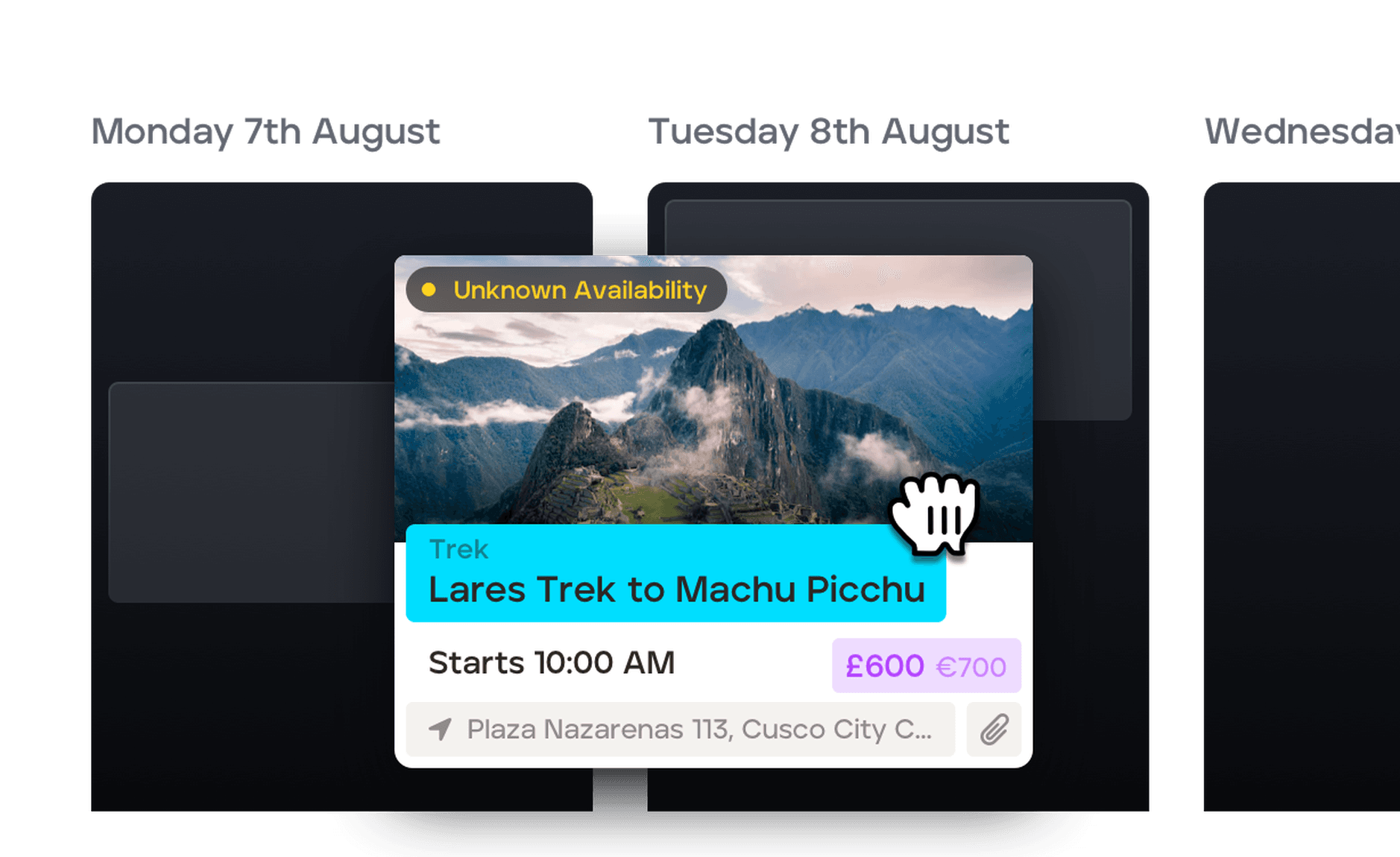
Drag-and-drop builder
Our innovative and easy-to-use drag-and-drop itinerary builder lets you quickly and easily build a bespoke itinerary in either card view or list view, meaning you can go from client enquiry to sending your stunning itinerary quotation in no time. Bespoke travel planning has never been easier!
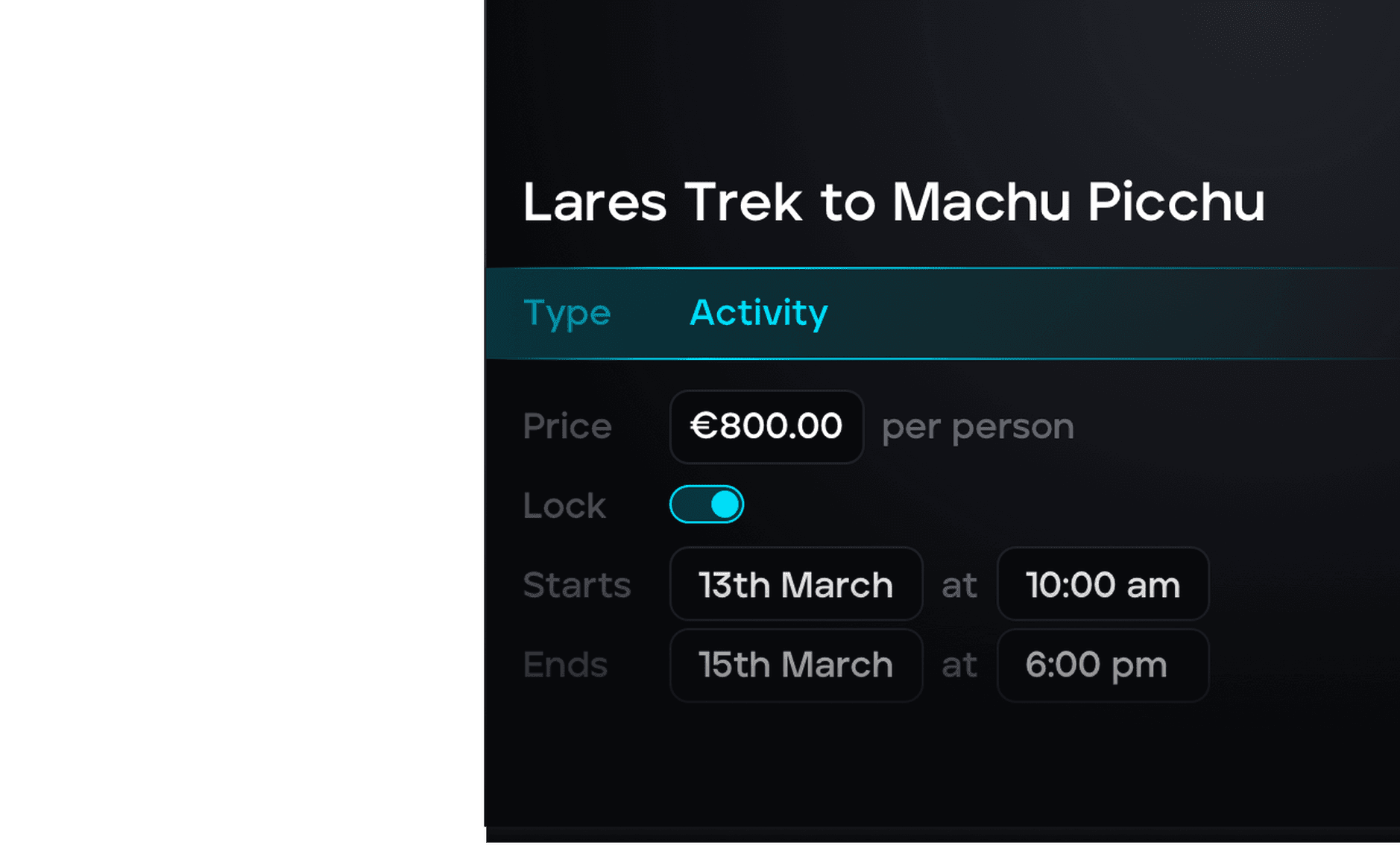
Enrich the itinerary
If you want to create a detailed travel itinerary, look no further! Each card in the itinerary has a wealth of functionality, including adding times, costs, statuses, locations, attachments, and so much more. Ours is itinerary quotation software with all the bells and whistles!
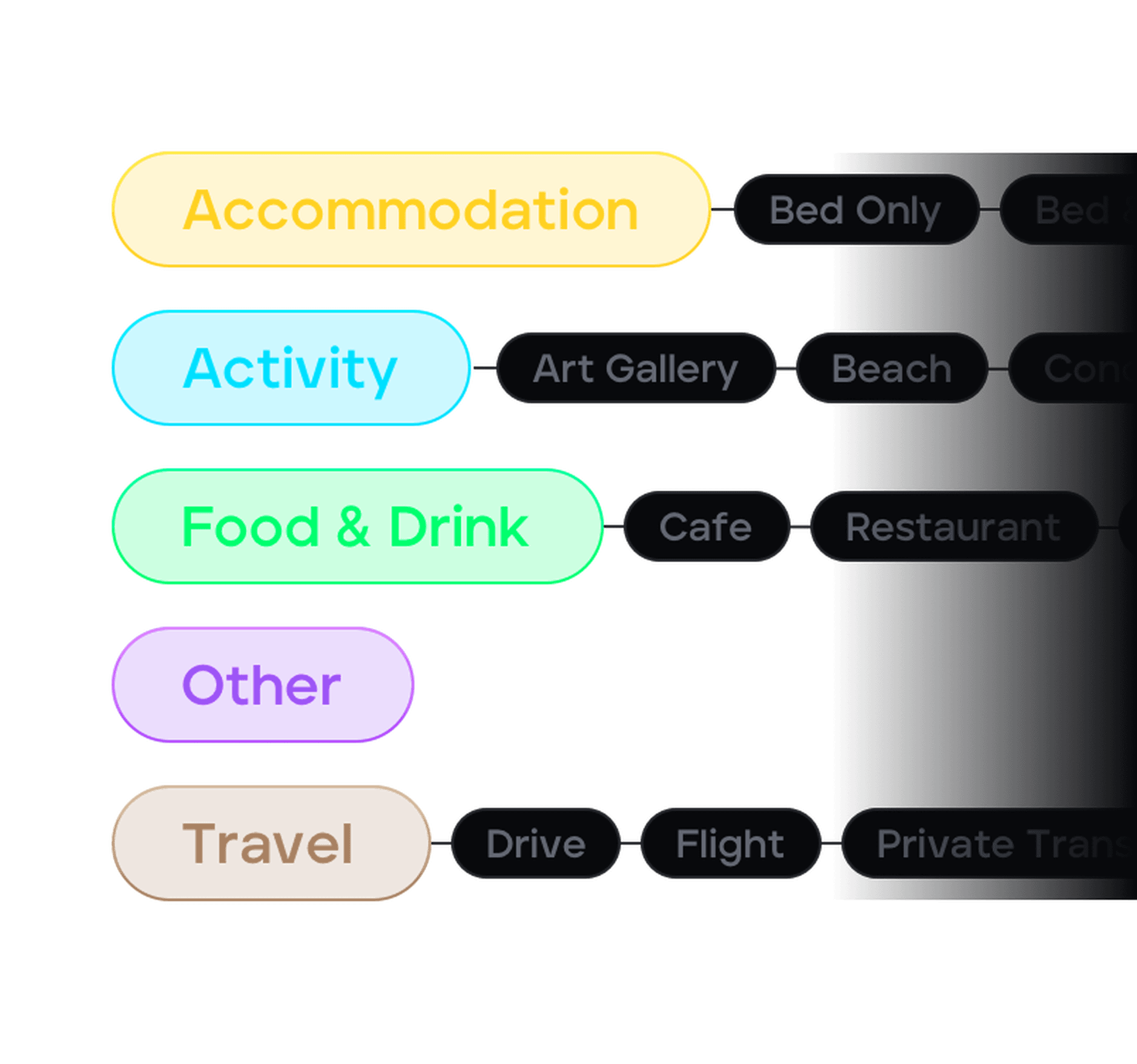
Colour-coded
We’ve built a 5-type categorisation system that keeps your itinerary organised and easy for both you and your clients to understand.

Attach important files
Attach vouchers, tickets or anything else you need to share with your clients, and they’ll be able to access it.
Add flight data
Enter your traveller's flight code and gather flight information. Details are shared with your client on the web and mobile app.
A little data goes a long way
We have integrated with some of the best in the business to speed up and enrich your itinerary building experience.

Flight Data
Search a global database of flights using only a flight number. Your clients will get live updates on their trip.

Google Places
Search millions of locations and businesses using our Google Places integration and populate your trip map with ease.

Tripadvisor
Access the wealth of data on Tripadvisor including images, opening times, ratings and links to enrich your itineraries.

Unsplash
Access millions of beautiful, free-to-use images from Usplash’s photographer community database.
Flight Data
Search a global database of flights using only a flight number. Your clients will get live updates on their trip.
Google Places
Search millions of locations and businesses using our Google Places integration and populate your trip map with ease.
Tripadvisor
Access the wealth of data on Tripadvisor including images, opening times, ratings and links to enrich your itineraries.
Unsplash
Access millions of beautiful, free-to-use images from Usplash’s photographer community database.
Everything the itinerary can do
We’ve put together this handy list of everything our itinerary builder software can do in case you’re looking for something specific.
Import existing PDF itineraries or URLs
Upload the PDF file or paste the link, and TripMapper extracts the details and imports it into our itinerary format.
Describe a trip and AI builds the itinerary
Type a description of the trip, destinations, dates, style, or client preferences, and AI drafts a ready-to-edit itinerary giving you a strong starting point.
Reusable itinerary templates
Easily duplicate itineraries and itinerary items for new trips.
One-click PDF export for print or email
Save, print and share travel itineraries in PDF.
Confirmation forwarding
AI reads booking confirmations and slots them into the right itinerary
Client price, cost, markup and margin on every item
Add your client price, as well as detailing your own costs, markup and margin.
Link your supplier products
Quickly and easily incorporate products from your supplier database into your itinerary.
Add your client's booking confirmations and tickets
Attach tickets, booking confirmations and other useful information for your client's easy access.
Add flight information
Input your client's flight number and get a rich, detailed flight summary page with an interactive map.
Add accommodation information
Include your client's accommodation details, from board basis to room type.
Add activities, tours or restaurants
From city tours to dining reservations, you control how detailed you wish the travel itinerary to be.
Add stunning images
Great aesthetics and inspiring imagery to build client excitement and anticipation.
Interactive, filterable trip map with pinned locations
Add locations and see them plotted on an interactive, filterable map.
Client tasks with automatic notifications
Ability to set tasks for your clients, plus they will be notified when they’re due.
Unlimited destinations per itinerary
You can define as many destinations as you like when building an itinerary. This information is used to help make searching Google and Tripadvisor data easier.
Build by date range or number of days
When building a trip itinerary you can add specific dates, or specify the number of days.
Select your layout preference
Select from kanban or list view to create your itinerary to suit your style.
Send itineraries as via the app, a shareable link or by PDF
Once your itinerary's ready, send it however suits your client best: a branded shareable link they can view online, or a downloadable PDF.
What's possible in our Itinerary Builder
Discover the things people are asking about our itinerary builder.
Can I reuse content between itineraries?
Yes — TripMapper is built for reuse. Travel advisers can create itinerary templates and reusable itinerary items, then duplicate them for new trips, so a proven itinerary never has to be built from scratch twice. Supplier products stored in your database can also be dropped straight into any itinerary.
Can clients view itineraries without installing the traveller app?
Yes — itineraries can also be shared as mobile-friendly web links and PDFs; the traveller app is optional but included free.
Can I add flights to an itinerary automatically?
Yes — enter a flight number and TripMapper pulls the full flight details from a global flight database, with updates shared to your client's web and mobile app.